Virtualmeans has partner with Arise!
Here you will register and enroll on the Arise platform.
STEP 1: Welcome to the Arise Platform
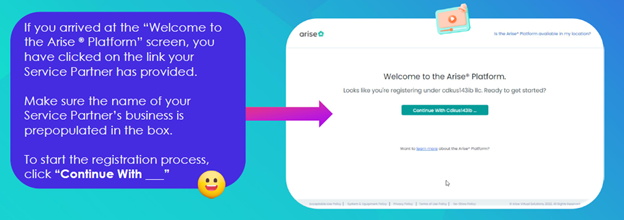
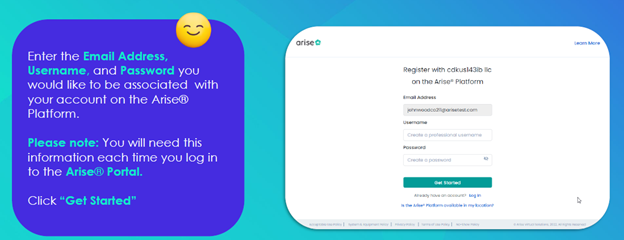
STEP 2: You are registering with ‘Virtualmeans Inc.’ – Please enter your email address, username, and password…
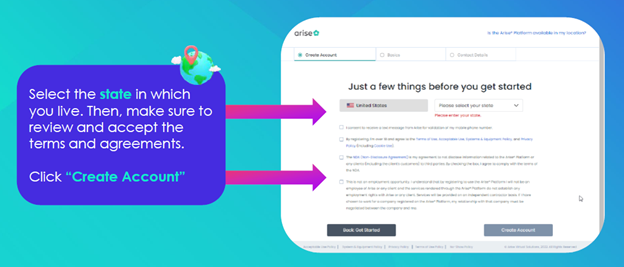
STEP 3: Select the state in which you live.
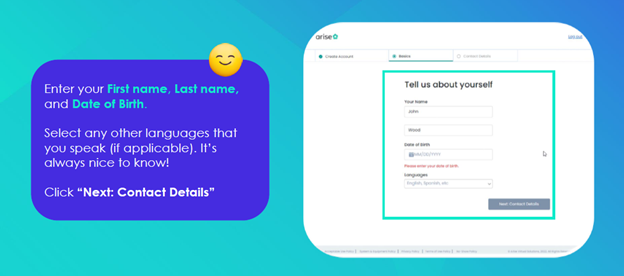
STEP 4: Enter your first name, last name, and date of birth…
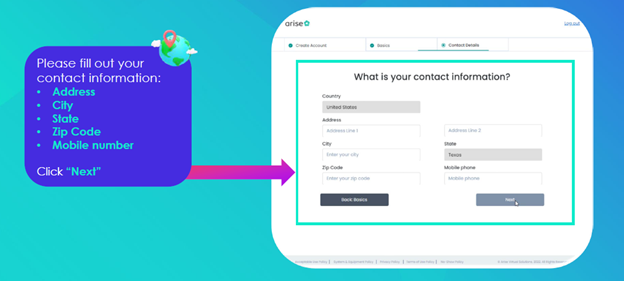
STEP 5: Please fill out contact information…
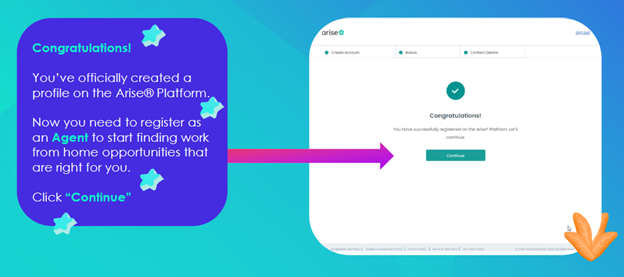
STEP 6: Congratulations! You have created your profile! Next to steps!
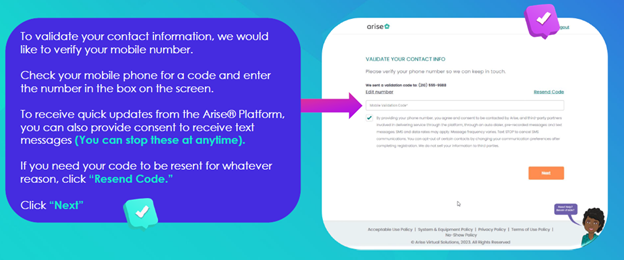
STEP 7: Validate your contact information!
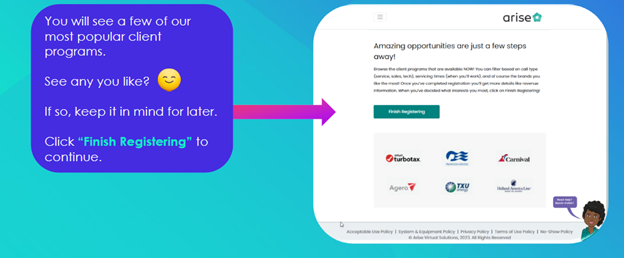
STEP 8: Finish Registering!
STEP 9: You are referred by ‘Virtualmeans Inc’! Please follow this step very carefully!
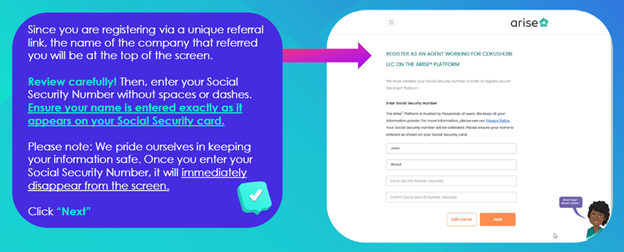
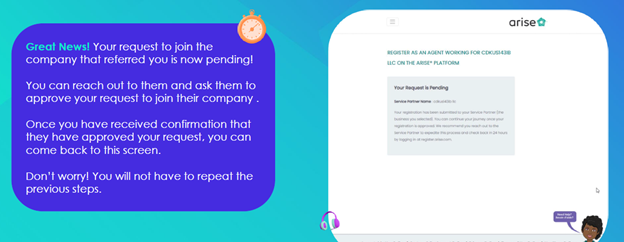
STEP 10: Now, you have been join by Virtualmeans! Please wait for a reply from Virtualmeans to confirm!
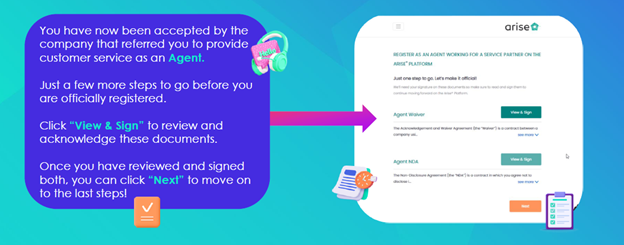
STEP 11: Now, Virtualmeans Inc have accepted you! Let’s finish up!
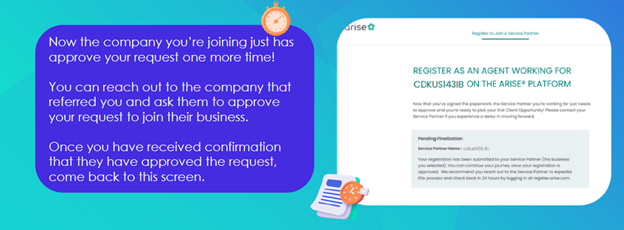
STEP 12: Virtualmeans has now ‘APPROVED’ your request!
STEP 13: Congratulations! You’re registered as an agent with Virtualmeans on the Arise platform!
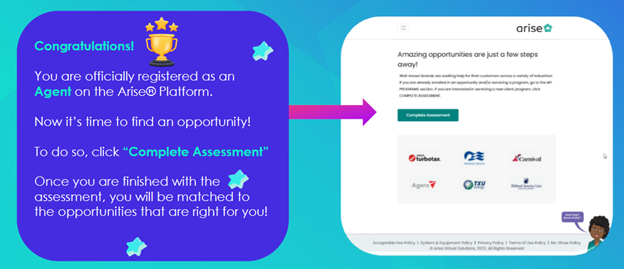
NOTE: After you have registered & completed assessment with our partner Arise® Platform, please login into the platform and do a PC check first before enrolling to our client program job! You will need to ‘PASS’ the PC check to move on to the next step of enrollment for select client & to eligible the that job program .
*See >> Equipment Requirement
*See ‘PC Check’ in the upper right hand corner. >> PC Check
